


This tutorial will take you step by step on how to correctly embed a YouTube Video in a thread / post.
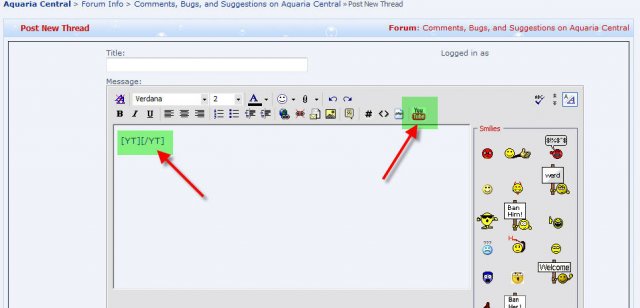


- Start a new thread (Tutorial here Create A New Thread / Post)
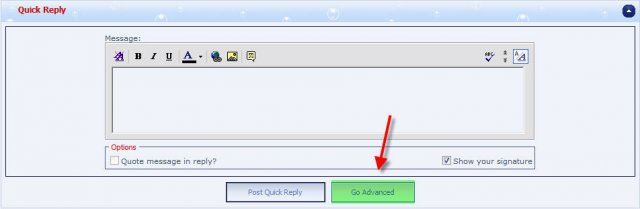
Or click "Go Advanced" at the end of a running thread.
Both options will take you too the same interface showing the [yt] tags.
- Browse on Youtube to find the video clip you want to embed.
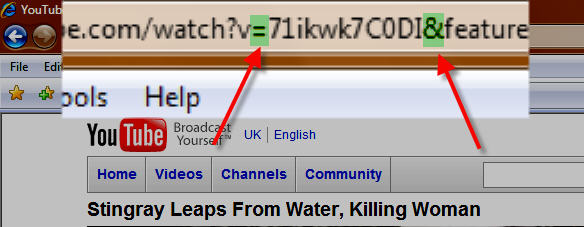
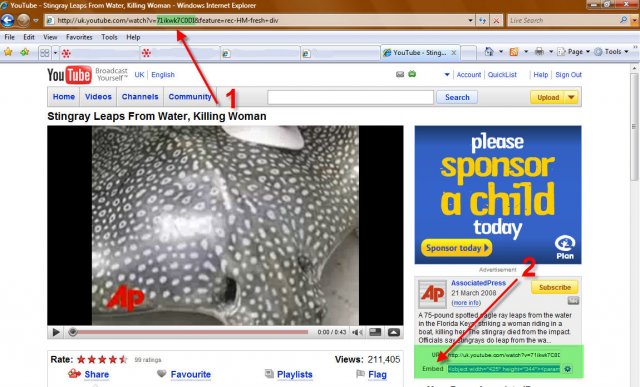
- There are a couple of ways to embed the youtube video clip. One is using the embed code (2), the other is by copying a section of the URL (Uniform Resource Locator) from your web browsers address bar (1). For this tutorial, you will see by the demonstration, the address bar method, as this is the easiest and quickest method out of the two.
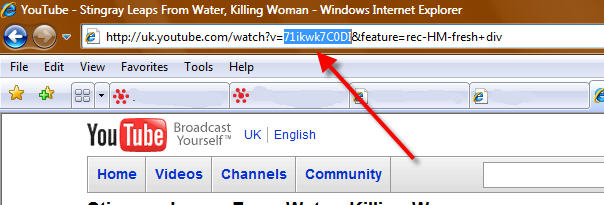
- In any given youtube video clip that you watch, there is a certain portion, which is highlighted in the picture above, which is the specific ID of the clip, this is all that we need. Using your mouse, click and hold down the left mouse pointer at the start of the code and drag it to the right and stop as the last character is highlighted before the " = " character.
The only portion of the address bar we need is the letters/numbers that is in between the " = " and the " & " characters.
- Once you have copied your code, go back to your thread / post.
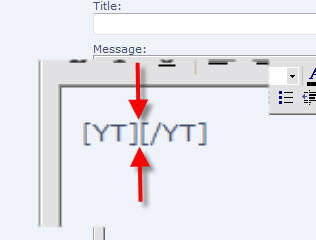
- Click on the button, and the tags will get inserted in the position of your cursor in the thread / post message box.
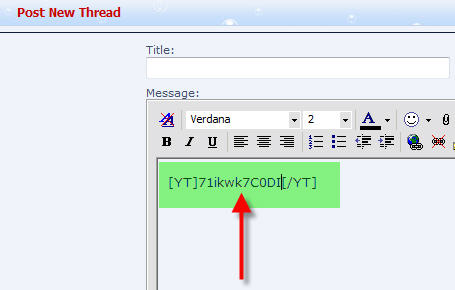
- Your cursor should automatically be inserted in the middle of the tags, ready to accept the code. If it is not, then click in the middle of the two inner brackets.
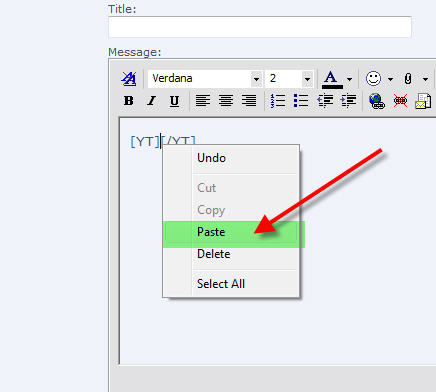
- You can now either right mouse click between the brackets and select paste.
Or you can press the following two keys on your keyboard " CTRL" and "V" together. This is the keyboard short cut for paste.
Your code will now be entered between the brackets.
- Type out any text you want to add to the post, and click either " Submit New Thread " or " Submit Reply ", depending on your situation.
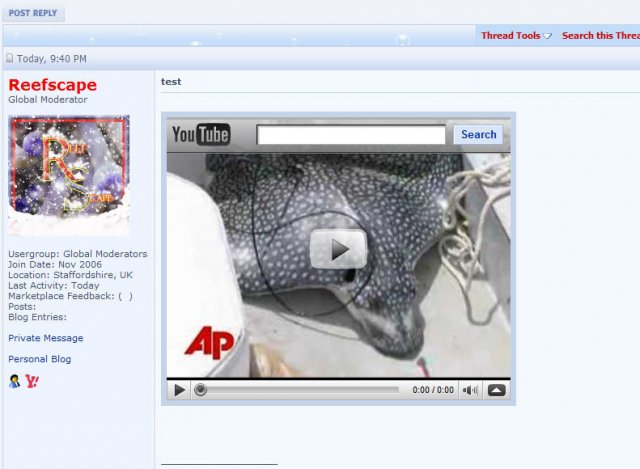
- The video will now be posted.
Last edited by a moderator:


